How do I cancel purchase orders?
Cancel purchase orders that are assigned to you.
Review the purchase orders waiting for your approval. Canceling a purchase order will change the purchase order status to "canceled" and remove the purchase order from the list of purchase orders waiting for approval. You can cancel more than one purchase order at the same time.
Canceling purchase orders
1. Open Connect Accounts Payable > Purchases and Requisitions > Approve/Cancel Purchase Orders.
2. Use the Action menu to select Cancel.
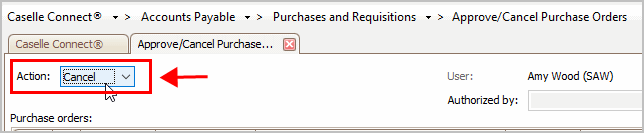
Action
3. Select the checkbox next to a purchase order number to cancel it.

Checkbox to select PO
4. Click GO (CTRL+G).
You have canceled the selected purchase orders and removes them from your queue.
Updated 16Jul2018
Authorized By
Use the Authorized By field to attach the name of the user who authorized the transaction. This is a self-validating field. You can enter a new name or you can use the drop-down list to select from a list of previously entered names.
Updated 18May2018
Copyright © 2025 Caselle, Incorporated. All rights reserved.